Technical SEO for Telehealth Websites: A Practical Telehealth SEO Strategy
A practical telehealth SEO strategy starts with the right technical architecture. Learn how to structure public service pages, manage indexing, protect patient portals, implement structured data, and monitor organic visibility without exposing private patient workflows.

Telehealth Platforms
Reviewed and updated for the latest Telehealth Platforms developments and related healthcare compliance standards.
A telehealth website has a different search challenge from a conventional healthcare provider website. Search engines need access to useful public information, but your patient portal, consultation workflows, and private records must remain protected.
A well-planned telehealth seo strategy connects search visibility with the technical architecture behind your platform. It helps search engines discover relevant services, specialties, provider information, and coverage details without treating authenticated patient workflows as public website content.
For healthcare IT directors, CTOs, and digital health leaders, this requires coordination between engineering, marketing, security, and content teams. Your CMS, frontend, routing, indexing controls, and privacy requirements all influence how effectively your public website performs in search.
What makes SEO different for a telehealth website?
A conventional clinic website often focuses on a physical location, its services, and its providers. A telehealth platform may serve patients across multiple approved regions through virtual consultations and digital workflows.
That changes how you organize public information. Your website must explain what you offer, who provides it, and where patients can access those services.
For a broader view of healthcare search requirements, explore our healthcare SEO services.
Telehealth search intent is not limited to a clinic's physical location
Patients may search for virtual care by specialty, condition, provider, insurance, service availability, or consultation type. Your website structure should reflect the actual services your organization provides.
For example, a telehealth company offering dermatology consultations may need distinct public pages for its service, relevant specialties, provider team, and consultation process.
However, geographic coverage requires careful treatment. Do not create pages suggesting that your organization serves every state when licensing, provider availability, or operational coverage limits access.
A useful coverage page should explain:
- Which regions or states can access the service.
- Which specialties are available in each region.
- Any relevant eligibility or insurance information.
- How patients can understand the consultation process.
Each page should answer a genuine user question rather than exist solely to target another location keyword.
Your public website and patient platform serve different purposes
Your public website and authenticated platform should have separate responsibilities.
Public website content can include:
- Telehealth services and specialties.
- Provider and clinical team profiles.
- Service coverage and eligibility information.
- Pricing and insurance details, where applicable.
- Educational resources and consultation instructions.
Authenticated platform areas may contain patient records, appointments, prescriptions, private messages, and consultation information.
These environments should not share the same indexing assumptions. Search engines need access to useful public pages, not private patient workflows.
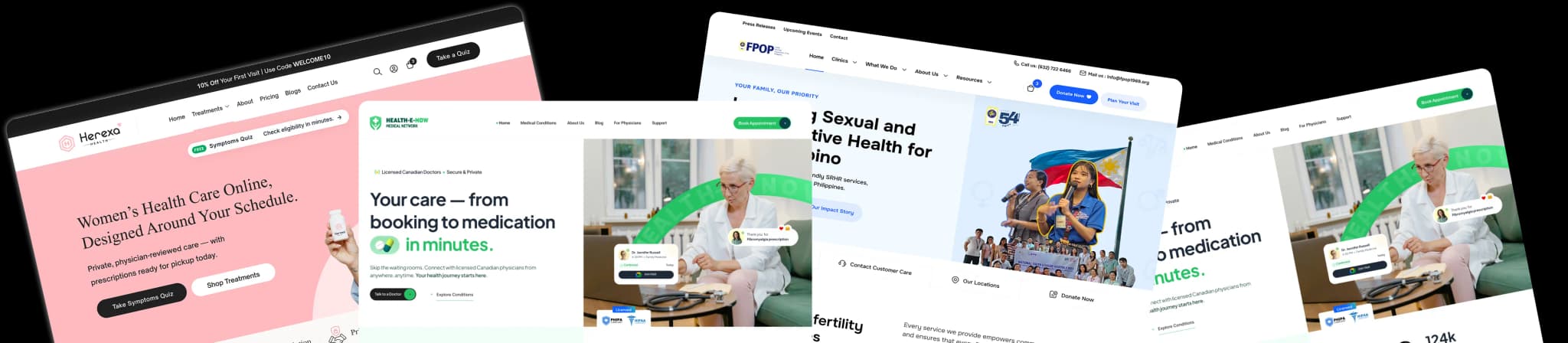
During healthcare implementations, this distinction also affects navigation, frontend routing, CMS permissions, and access controls. Qrolic Health's work on healthcare platforms, including Herexa Health, reinforces the importance of considering patient-facing workflows and provider-side operations separately from public website content.
Why technical SEO needs to be part of platform planning
Technical SEO should not become a late-stage task after the website and platform architecture are complete.
Your development team needs to consider:
- CMS structure and content publishing workflows.
- URL patterns and navigation hierarchy.
- Server-side rendering or static rendering where appropriate.
- Crawlability and indexing directives.
- Canonical URL management.
- Performance across public pages.
- Security and privacy boundaries.
For example, a frontend may display a service page correctly to visitors but fail to expose its main content in a way search engines can reliably process.
The engineering team should test important public pages before launch. This makes search visibility part of the platform's acceptance criteria rather than a later repair task.
Key takeaway: A telehealth SEO strategy should improve discovery of relevant public information, not make every part of your platform searchable.
Is your telehealth website built for both search visibility and patient privacy?
Your public pages need clear information architecture, while patient-facing workflows require separate access and privacy controls. Qrolic Health works across healthcare website SEO and telehealth platform development.
Explore healthcare SEO services →How should you structure public telehealth pages for search visibility?
Your public website should make it easy for visitors and search engines to understand the relationship between your services, specialties, providers, and coverage areas.
A useful structure starts with the way your organization actually delivers care. Avoid creating pages simply because a keyword tool suggests another search variation.
Build a clear hierarchy around services and specialties
Start with the main services your telehealth organization provides. Then create supporting pages where each page serves a distinct purpose.
A practical structure could look like this:
- 1.Main telehealth services page.
- 2.Specialty or treatment-area pages.
- 3.Provider and clinical team profiles.
- 4.How-it-works and consultation process pages.
- 5.Pricing, insurance, and eligibility information.
Each page should provide enough information to help visitors understand the service and decide what to do next.
For example, a specialty page should explain the service, its intended audience, the consultation process, and relevant provider information. It should not simply repeat the main service page with a different heading.
Create location and coverage pages only when they provide real value
Location pages can help explain where a telehealth service operates. However, they must reflect genuine differences in service availability.
A useful regional page may include:
- Verified service availability.
- Relevant provider or licensing information.
- Regional eligibility requirements.
- Differences in available specialties.
- Accurate contact or consultation instructions.
Avoid generating dozens of near-identical pages with only state or city names changed. Such pages provide little value to visitors and can create duplicate or low-quality content.
Your content team should verify regional information with the operational or compliance team before publishing. This prevents search pages from making inaccurate claims about where care is available.
Build internal links that support discovery
Internal links help visitors move between related information and help search engines discover your public pages.
Connect related pages naturally:
- Link service pages to relevant specialties.
- Link specialty pages to appropriate provider profiles.
- Link educational content to services it genuinely supports.
- Connect coverage pages to relevant services and eligibility details.
Use descriptive navigation labels instead of vague text such as "Learn more." Keep important pages accessible through logical navigation and avoid unnecessary click depth.
Your CMS should also make internal linking manageable. Content editors need a clear way to identify related pages and update links when services or providers change.
Practical implementation checklist
Before publishing a public telehealth page, confirm:
- It has a clear purpose and distinct search intent.
- Its information reflects an actual service or business capability.
- Navigation connects it to relevant pages.
- Its content is not substantially duplicated elsewhere.
- Its claims about providers and coverage have been verified.
Did You Know ?
A telehealth SEO strategy improves search visibility by making public service pages easy to crawl, understand, and index. It combines clear site architecture, relevant service and provider content, canonical controls, structured data, page performance, and safeguards that keep private patient-portal information out of search.
How do you make telehealth service pages crawlable and indexable?
A page can exist on your website without appearing in Google Search. Understanding crawling, indexing, and ranking helps your engineering team identify why.
Crawling means a search engine discovers and accesses a URL. Indexing means it processes and may include the page in its search index. Ranking determines where an eligible page appears for a particular query.
These are separate processes. Submitting a URL or sitemap does not guarantee indexing or a particular search position.
Check crawl access and indexing directives
Start by reviewing the controls that determine whether search engines can access your important public pages.
Check:
- Your `robots.txt` rules.
- Page-level `noindex` directives.
- `X-Robots-Tag` HTTP response headers.
- HTTP status codes.
- Internal links pointing to important pages.
Consider a public specialty page that returns `200 OK` but contains a `noindex` directive. Visitors can access it, but the directive tells compliant search engines not to include it in their indexes.
Another common mistake is blocking an entire public directory through `robots.txt`. This can prevent search engines from accessing pages that your organization wants discovered.
Google Search Central explains that `robots.txt` controls crawler access, but it is not a reliable method for keeping a URL out of search results. Private resources need proper authentication and authorization.
Use canonical URLs to manage duplicate pages
A canonical URL identifies the preferred version of a page when similar or duplicate URLs exist.
For example, your website might expose the same service page through both trailing-slash and non-trailing-slash URLs. Filter parameters or alternative routes can create further variations.
Your team should:
- Select one preferred URL for each unique page.
- Use consistent canonical tags.
- Align internal links with the preferred URL.
- Keep sitemap entries consistent with canonical URLs.
- Review redirects and duplicate page patterns.
Canonical tags are signals, not absolute commands. Google may select another URL when its systems identify a different version as more appropriate.
Check canonical tags after CMS template changes, migrations, and frontend routing updates. Conflicting canonicals and redirects can make it harder for search engines to interpret your preferred page.
Make JavaScript-rendered content discoverable
Modern telehealth websites often use JavaScript frameworks to render service pages and interactive components.
However, your implementation should not depend on search engines successfully processing every client-side interaction before discovering important information.
Consider server-side rendering or static rendering where appropriate. Ensure that the main page content, titles, metadata, and internal links remain accessible after rendering.
Test important URLs using Google's URL Inspection tool in Search Console. Review the rendered page and check whether essential content appears as expected.
Navigation should also use standard crawlable links. Avoid relying exclusively on JavaScript events or interactive controls that do not expose normal link destinations.
Maintain accurate XML sitemaps
An XML sitemap helps search engines discover URLs that your website considers important.
For a telehealth website, include canonical, indexable public URLs. Exclude redirected pages, duplicate variants, and URLs intentionally excluded from search.
Keep the `lastmod` value accurate when meaningful content changes. Do not update it automatically on every deployment when the page content remains unchanged.
A practical publishing workflow should connect sitemap updates to CMS publishing events. After major releases, submit the sitemap through Google Search Console and review indexing reports.
Technical examples your team should test
- A public specialty page returns `200 OK` and remains indexable.
- A service page does not accidentally contain `noindex`.
- Duplicate URLs resolve to a consistent canonical destination.
- Rendered pages expose their main content and internal links.
- Patient portal routes require authentication instead of relying on crawler instructions.
Official implementation guidance is available from Google Search Central's crawling and indexing documentation.
How should you protect patient portals while improving telehealth website SEO?
A telehealth platform often combines public marketing pages with private patient and provider workflows. Search visibility must not weaken the boundaries between these environments.
The safest approach begins with architecture. Public content should remain discoverable where appropriate, while private workflows require access controls based on user roles and permissions.
Separate public content from authenticated patient workflows
Your public website and authenticated application should have clearly defined responsibilities.
A typical platform may contain:
- Public service and specialty pages.
- Patient registration and login.
- Appointment scheduling and consultation areas.
- Patient records, prescriptions, and messages.
- Provider and administrative dashboards.
These areas have different access requirements. A public service page may be available to search engines, while a patient appointment screen should require authentication.
During healthcare platform development, teams should define these boundaries at the routing and application architecture level. Separate applications, subdomains, or route groups may be appropriate depending on the platform's design.
Explore telehealth platform development for more on the engineering considerations behind patient-facing and provider-side functionality.
Do not rely on `robots.txt` to protect patient information
A `robots.txt` file provides instructions to crawlers. It does not prevent people or unauthorized applications from accessing a URL.
Similarly, a `noindex` directive is not an access-control mechanism. It does not make a publicly accessible page private.
For authenticated areas, implement appropriate controls:
- Require authentication for private workflows.
- Enforce authorization on the server side.
- Restrict access according to user roles and permissions.
- Avoid exposing sensitive information in URLs and metadata.
- Review error messages for unintended information disclosure.
For example, a patient appointment URL should not reveal a patient's name, condition, or appointment details through its path or query parameters.
Review analytics and third-party tracking
Third-party scripts can collect information from pages where they run. This makes tracking configuration an important part of healthcare platform governance.
Inventory the scripts running on public pages, login screens, registration forms, and authenticated areas. Identify what information each tool collects and where that information goes.
Pay particular attention to:
- Patient identifiers and contact details.
- Appointment and consultation information.
- Form values and URL parameters.
- Session identifiers and page events.
- Data transmitted to analytics and advertising vendors.
HHS Office for Civil Rights guidance discusses online tracking technologies used by HIPAA-regulated entities. Its page also notes that a court vacated part of the guidance concerning certain unauthenticated public webpages.
That qualification matters. Do not assume that every visit to every public healthcare webpage automatically involves protected health information. Applicability depends on the information, entity, and circumstances.
Read HHS OCR's guidance on online tracking technologies when reviewing your tracking configuration.
Treat HIPAA considerations as part of technical governance
HIPAA considerations should inform how your organization handles protected health information across the platform.
Marketing, engineering, and privacy teams should review data flows together. A tracking script that appears harmless on a public page may create a different concern when used on a registration or authenticated page.
Document the purpose of each integration, the information it collects, and the systems receiving that information. Reassess the configuration when vendors, scripts, or patient workflows change.
Which structured data and performance improvements support telehealth SEO?
Structured data and page performance help search engines interpret public website content and evaluate the user experience.
Neither guarantees higher rankings or rich search results. Their value depends on accurate implementation, useful page content, and consistency between the information displayed to visitors and the information provided to search engines.
Use structured data that accurately describes the business
Choose schema types according to the actual organization and page.
Potentially relevant types include:
- `Organization` or an appropriate organization subtype.
- `MedicalOrganization`, where the business qualifies.
- `Physician`, for accurately represented individual clinicians.
- `MedicalWebPage`, for relevant medical information pages.
- `BreadcrumbList`, for website navigation.
Do not add every available schema type simply because it relates to healthcare. Each type should accurately describe the entity or content on that specific page.
For example, a provider profile may support appropriate physician information. A general service page should not automatically receive individual clinician properties.
Keep structured data consistent with visible content
Structured data should reflect information visitors can verify on the page.
Review consistency across:
- Business name and contact information.
- Provider names and credentials.
- Service descriptions.
- Location and coverage details.
- Page titles and descriptions.
- Eligible review or rating information.
Do not mark up services, credentials, ratings, or locations that your organization cannot substantiate.
Your CMS templates should also avoid generating identical schema across unrelated page types. A provider profile, service page, and educational article have different purposes.
For a broader view of how experience, expertise, authoritativeness, and trust affect healthcare search, read our guide to E-E-A-T for healthcare websites.
Improve page performance without compromising functionality
Public marketing pages should load efficiently without carrying unnecessary application functionality.
Review image sizes, responsive assets, JavaScript bundles, fonts, and third-party scripts. Avoid loading heavy patient portal components on public pages when visitors do not need them.
Monitor Core Web Vitals and real-user performance. Test important pages on mobile devices, particularly service pages and consultation information.
Page speed alone does not guarantee rankings. However, unnecessary scripts and poorly optimized assets can make the website harder to use and maintain.
Validate technical implementation
Make validation part of your release process.
- 1.Test relevant structured data using Google's Rich Results Test.
- 2.Review schema errors and unsupported properties.
- 3.Inspect important URLs through Google Search Console.
- 4.Check mobile usability and page responsiveness.
- 5.Re-test after CMS templates or frontend components change.
A repeatable validation process helps prevent technical regressions when your organization adds services, updates provider profiles, or changes its website architecture.
How should you measure and maintain telehealth search visibility?
Technical SEO requires ongoing monitoring. A website may launch with correct indexing controls and later develop problems after a CMS update, URL migration, or frontend release.
Your team needs a review process that connects search visibility with technical ownership and meaningful business actions.
Monitor organic search performance
Google Search Console provides useful information about how your public pages appear in Google Search.
Review:
- Impressions and clicks.
- Search queries and landing pages.
- Indexing status for important public URLs.
- Search appearance reports where available.
- Structured data reports where applicable.
Group landing pages by service or specialty to understand which parts of your public website receive search visibility.
If an important page loses visibility, investigate its indexing status, canonical URL, content changes, and internal links before assuming the issue is keyword targeting.
Connect search visibility to meaningful business actions
Search impressions and clicks show visibility, but they do not explain whether visitors are reaching relevant business information.
Depending on your platform, useful actions may include:
- Qualified service enquiries.
- Consultation requests.
- Appropriate appointment-start actions.
- Engagement with service and provider information.
Configure analytics to measure these actions without transmitting sensitive patient information unnecessarily.
Your reporting setup should distinguish public website engagement from authenticated patient activity. Avoid sending patient details, appointment information, or other sensitive data into analytics events or third-party reporting systems without appropriate review.
Create a technical SEO review cycle
A repeatable review process helps your team identify issues before they affect important public pages.
A practical cycle includes:
- 1.Review new public pages before publication.
- 2.Check indexing after major releases.
- 3.Monitor redirects, canonicals, and sitemap changes.
- 4.Audit internal links and broken pages.
- 5.Review performance after frontend or script changes.
- 6.Reassess privacy and tracking configurations when integrations change.
Include these checks in release planning rather than relying on occasional SEO audits.
Assign clear ownership
Technical SEO works best when responsibilities are clear across teams.
- Marketing and content teams own page purpose, content accuracy, and publishing.
- Engineering owns rendering, routing, performance, and technical SEO controls.
- Security and privacy teams review access controls, tracking, and data flows.
- Clinical reviewers verify clinical claims and provider information where relevant.
Qrolic Health approaches healthcare website projects through this combination of technical delivery, content structure, and compliance-aware implementation. This helps organizations consider search visibility alongside the platform requirements that support it.
Conclusion
A successful telehealth SEO strategy depends on more than publishing service pages or targeting virtual care keywords. Your website needs a clear public information architecture, reliable crawlability, accurate canonical controls, and useful content that reflects your actual services.
The underlying platform also needs clear boundaries between public pages and authenticated patient workflows. Search engines should discover relevant service information without gaining access to private patient records, appointments, or messages.
For healthcare IT leaders, these requirements belong in website architecture, development planning, and ongoing technical governance. When engineering, content, and privacy teams work together, your organization can improve public search visibility while maintaining appropriate platform boundaries.
Planning to improve your telehealth platform's search visibility?
Your telehealth website needs to make relevant public information discoverable while keeping private patient workflows appropriately protected. Qrolic Health works across healthcare website SEO and telehealth platform development to help technology teams address these requirements together.
Discuss Your Telehealth Website Requirements →Frequently Asked Questions
What is a telehealth SEO strategy?
A telehealth SEO strategy is the technical and content approach used to improve search discovery of public telehealth services. It covers website architecture, crawlability, indexing, useful service information, structured data, and ongoing performance monitoring.
How can you improve SEO for a telehealth website?
Start with clear public service and specialty pages. Improve internal linking, crawlability, canonical URLs, rendering, and page performance. Add accurate structured data and monitor indexing and organic search performance through Google Search Console.
Should a telehealth patient portal be indexed by Google?
Private patient portals should not expose records, appointments, messages, or authenticated workflows as public search content. Require authentication and appropriate authorization. Do not rely on `robots.txt` or `noindex` as substitutes for access controls.
What pages should a telehealth website have for SEO?
Depending on its actual services, a telehealth website may need service, specialty, provider, coverage, pricing, insurance, and how-it-works pages. Each page should provide distinct, accurate information relevant to the organization's operations.
How does technical SEO affect telehealth platform search visibility?
Technical SEO affects whether search engines can discover, access, render, and understand public pages. Crawl controls, canonical URLs, JavaScript rendering, XML sitemaps, internal links, and performance all contribute to that process.
Does a telehealth website need structured data?
Structured data can help search engines interpret relevant organization, provider, medical information, and navigation details. Use only types that accurately describe the page. Valid markup does not guarantee rich results or higher rankings.
How can telehealth companies create location pages without duplicate content?
Create regional pages only when they explain meaningful differences in service availability, licensing, provider coverage, or eligibility. Avoid mass-producing pages that only replace a city or state name while repeating identical information.
How can you track SEO performance without exposing patient information?
Use Google Search Console to monitor public search visibility. Configure website analytics around appropriate, non-sensitive events. Review third-party scripts and data flows, and keep authenticated patient activity separate from public marketing reports.

Qrolic Health Technical Team
Healthcare Technology Expert
The Qrolic Health Technical Team shares practical insights on healthcare website development, HIPAA compliance, healthcare cybersecurity, patient portals, telehealth platforms, and digital health solutions. Our content focuses on helping healthcare organizations, clinics, hospitals, pharmacies, and health technology companies build secure, accessible, high-performing digital experiences. We cover technical implementation, regulatory considerations, website performance, data protection, and best practices for healthcare technology, helping readers make informed decisions about their digital infrastructure.
Ready to Build Your Healthcare Platform?
Work with a team that understands HIPAA, accessibility, and healthcare digital experiences from day one.
Related Healthcare Insights
Explore practical articles on compliance, UX, websites, and digital healthcare standards.

Redis in Healthcare Apps: Session Security and PHI Caching Risks
Redis healthcare session security requires more than configuring key expiration. Explore HIPAA considerations, idle timeouts, session revocation, protected health information caching risks, Redis access controls, and practical deployment checks for secure healthcare SaaS architecture planning.
PostgreSQL for Healthcare Applications: HIPAA Database Safeguards
PostgreSQL healthcare database security requires more than encryption and managed hosting. Explore HIPAA safeguards, Amazon RDS responsibilities, database permissions, encryption-key management, backup recovery, and access auditing to make informed healthcare SaaS architecture decisions before production.

Node.js Healthcare Backend Security: HIPAA Architecture Checklist
Building a secure Node.js healthcare backend requires more than authentication and encryption. Explore HIPAA architecture requirements, API authorization, protected health information handling, logging security, background queues, and practical checks before deploying your healthcare SaaS platform.
Ready to Start Your Healthcare Project?
Let's discuss your goals and show you how we can build a secure, accessible, and high-performing healthcare website.